Tablow for international couples
Meeting the in-laws in another language? Put the whole table in one conversation.
Tablow is a live conversation translation app. One of you hosts from an iPhone, and everyone at the table reads the conversation in their own language on their own phone. The bilingual partner is off interpreting duty, and your families install nothing.
When you are the only translator at the table
If you are the one who speaks both languages, you know how the dinner goes. You relay the questions, you shorten the answers, and your food goes cold. Your parents only ever meet a summarized version of the person you brought home, and the jokes almost never survive the trip.
Tablow changes the shape of the dinner. The host's iPhone listens, and everyone at the table reads a live transcript in their own language. Both families get the same sentence at the same moment, and you finally get to sit there and eat.
Already using Google Translate's Conversation mode at dinner? Here is where each one fits.
How it works at a family gathering
One of you hosts
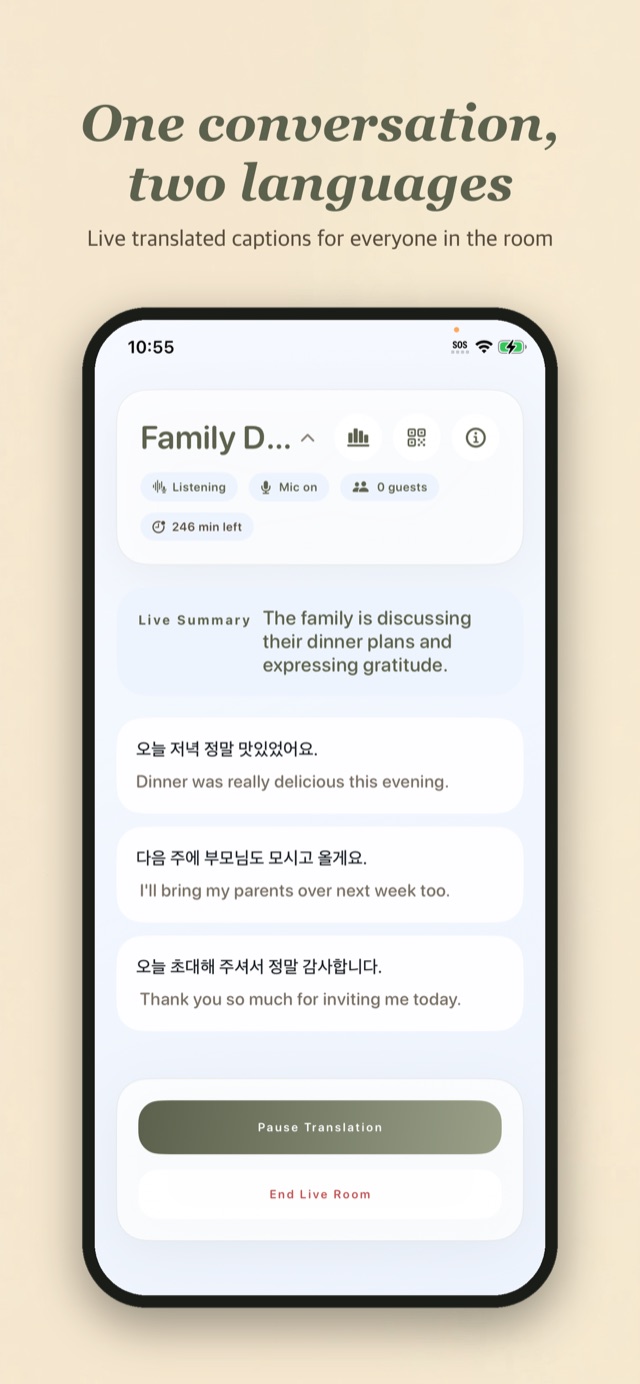
Open the Tablow iOS app, pick your two family languages, say Korean and Japanese, and start a room. Put the phone in the middle of the table.
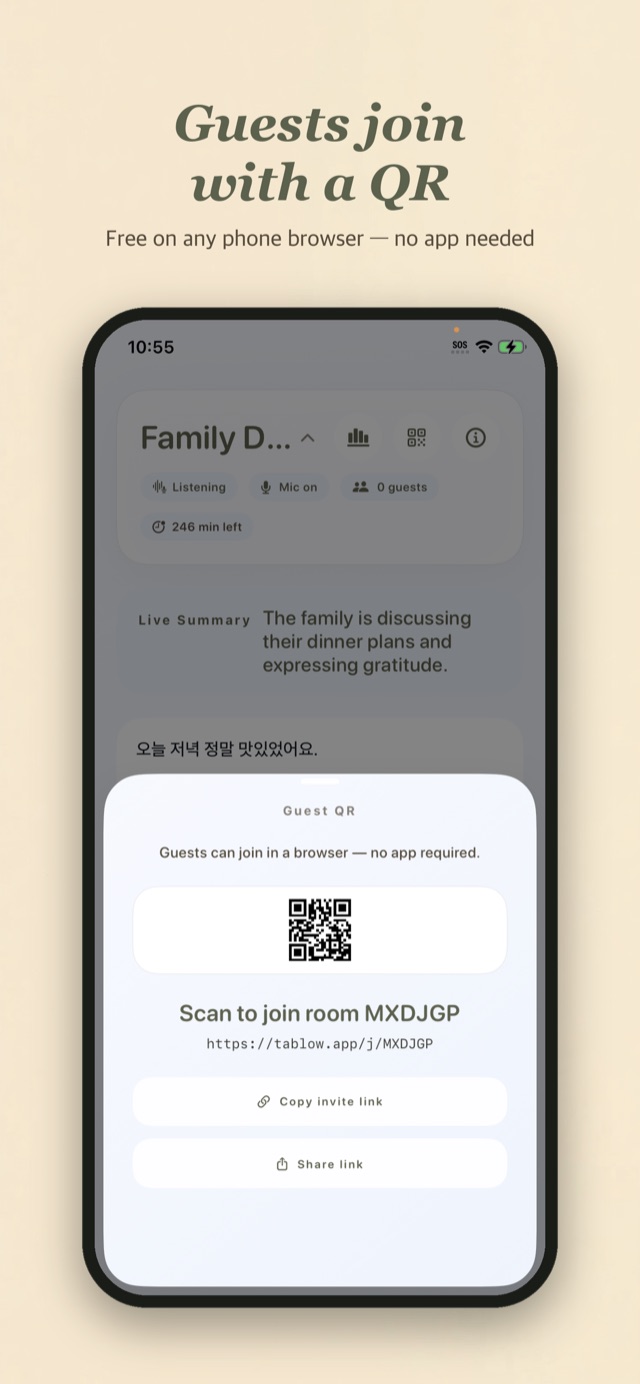
Parents scan a QR code
Your families join from their own phones by scanning a QR code or typing a 6-letter code at tablow.app. It opens in the browser they already have. Nothing to install, no account.
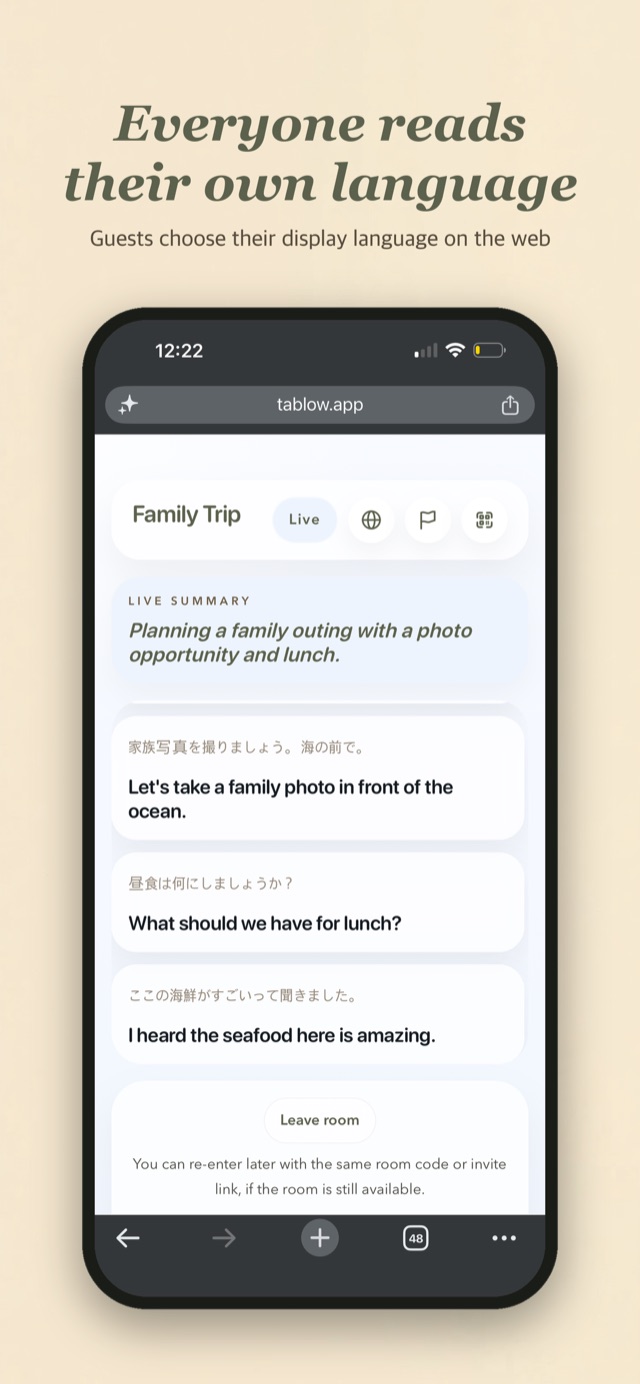
Everyone reads along
Each person picks a display language and reads live captions, translations, and an AI summary that keeps up with the conversation.
The dinners this was built for
First meeting with the in-laws
Introduce your partner to your parents without a phone going back and forth. Questions get asked and answered in both languages.
Both families, one table
Engagement meals and wedding planning where both sets of parents finally talk to each other directly.
Holidays and visits
New Year gatherings, birthdays, and trips to see family. The same routine works every time you meet.
Why couples use Tablow
- Parents install nothing. Older family members join by pointing their camera at a QR code. The room opens in the browser they already have.
- Each side reads their own language. Tablow supports 60+ languages for live conversation translation, including Korean, Japanese, English, and Chinese.
- The bilingual partner is off duty. The conversation goes where it wants instead of through one tired interpreter.
- A summary catches people up. Stepped out to help in the kitchen? The running AI summary shows what everyone is talking about.
- Family conversations stay private. Audio is never stored, and transcripts auto-delete 7 days after the room ends.
Frequently asked questions
Do my partner's parents need to install an app?
No. They open tablow.app in the browser already on their phone and scan your QR code, or type the 6-letter room code instead. Nothing to install, no account to make, and guest sessions are anonymous.
Which languages can our families use?
Tablow supports 60+ languages for live conversation translation, including English, Korean, Japanese, Chinese (Simplified), German, Spanish, and French. When you create the room you pick the two languages being spoken, and every guest chooses their own display language to read in.
Does it work with several people talking at one table?
Yes. The host's iPhone listens to the whole table, transcribes what it hears clearly, and translates each line for every guest. Put it near the middle of the table and it works best.
How much does Tablow cost?
The Tablow iOS app is free to download, and joining a room as a guest is always free, so your families never pay anything. Hosting a live translated room uses translation minutes. Current plans and prices are in the app.
Is our family conversation stored?
Live audio is streamed for transcription only and is never stored on Tablow's servers. By default the transcript and the summary are deleted 7 days after the room ends. A host can extend that, or delete them sooner.
What if my parents are not comfortable with technology?
Joining is one camera scan. If that is awkward, they can type a 6-letter code at tablow.app, or you can just open the room on their phone for them.
Be at the table, not in the middle
Start a room at the next dinner. Your families just need a browser.